Certificate Registry
Issue, print and publicly verify certificates with a QR-linked registry — opaque tokens, a hardened private admin and a one-folder deploy to low-cost shared hosting.
A certificate is only worth what it takes to check it.
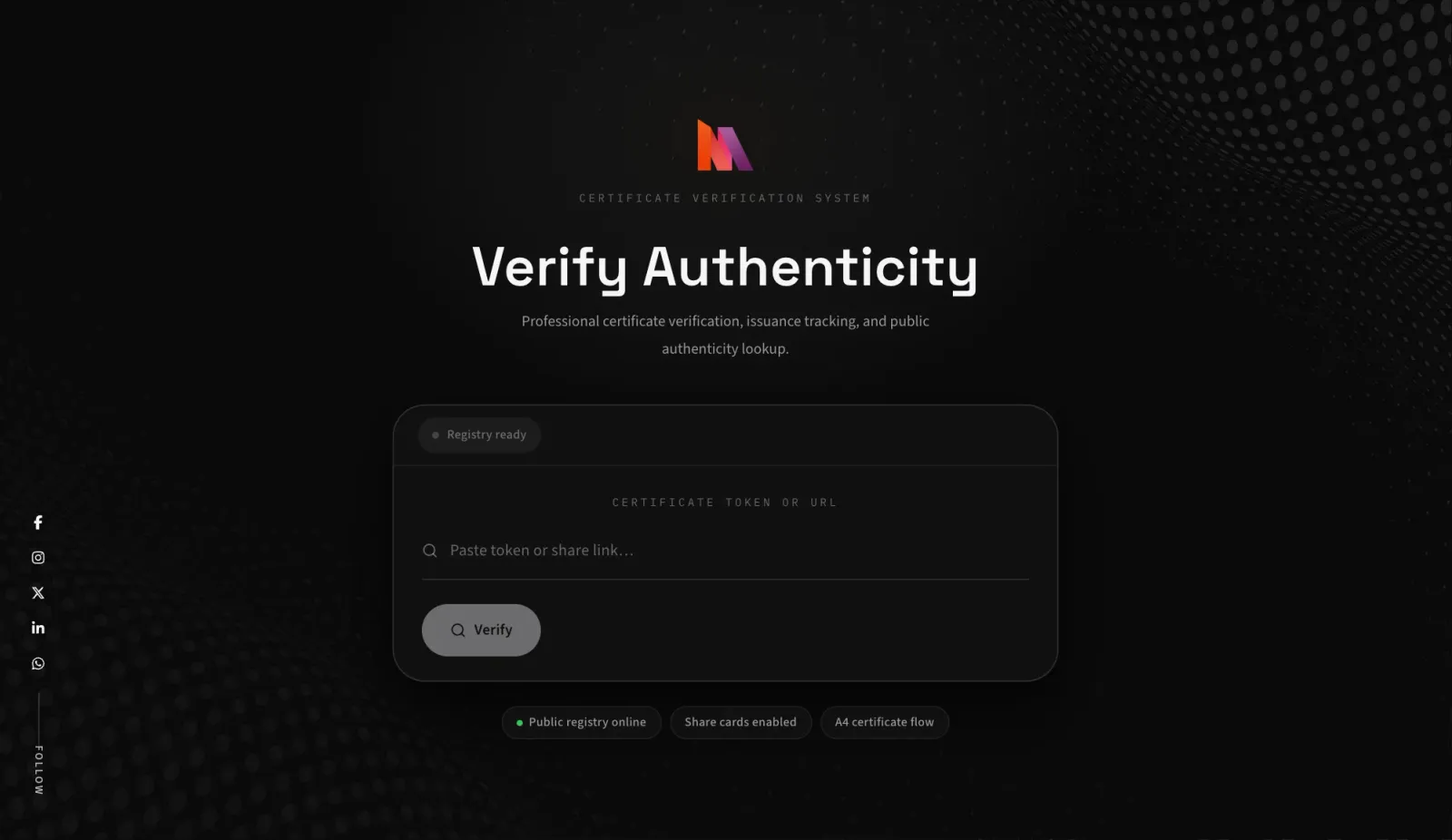
Certificate Registry is MrZaKaRiA's own system for issuing internship, course, workshop and achievement certificates — and for letting anyone confirm that one is genuine. Paper and PDF certificates are easy to fake and slow to check: an employer who receives one usually has to email the issuer and wait, and most never do. The registry closes that gap. Every certificate gets an opaque, unguessable token, a short verification link and a QR code printed on the certificate itself. Whoever holds the certificate can open the link or type the token and see a clear result card: verified or revoked, with the recipient, the course, the skills, the grade and the issuer. The certificate holder can share a branded preview on LinkedIn or WhatsApp, and the issuer sees each check arrive on the dashboard, by device and by country.
The brief had four parts: a public registry with a link and QR code for every certificate; an admin console that is not an obvious attack target; printable certificates that look premium; and a setup that runs on low-cost shared hosting without ever losing its data. RAIN took a July 2025 prototype and rebuilt it in April 2026 around three concerns — trust, abuse resistance and operability. On the front, a React 18 and TypeScript single-page app in a dark, glass-style interface with spring motion that respects reduced-motion settings. Behind it, a Laravel 12 API with Sanctum bearer tokens, a custom TOTP two-factor service, configurable rate limits and a pre-deploy production check. It all runs on a single SQLite database with local snapshots and a scheduled Dropbox backup service, and one build command produces a self-contained folder ready to upload to a shared host, behind Cloudflare and a strict content security policy. Branding, certificate design and security limits are all editable at runtime, so the registry can carry a different name and look without a code change.
The design follows the job each audience has. The person checking a certificate is often on a phone, scanning a QR code from a printout, and needs one answer fast — so the public side is a single focused screen that resolves a token into a large verified or revoked card, with status colours borrowed from the system palettes people already read without thinking: green for verified, red for a problem, blue while it looks up. The issuer needs control without ceremony, so the admin side is a short set of screens — dashboard, create and edit, print template, settings and profile — rather than a sprawling back office. The certificate itself needed to look like something worth framing: an A4 landscape layout with a seal, a handwritten-style signature, serif display type and a QR code that ties the paper back to the registry. Fonts are chosen per role — Space Grotesk for display, Source Sans 3 for reading, IBM Plex Mono for tokens, and Playfair Display, Caveat and Sacramento on the certificate — so every surface reads as part of the same system.
API endpoints
Share and branding web routes
Security and metrics feature tests
Certificate types
Six systems that make a certificate checkable — and six that keep the registry safe and running on cheap hosting.
Opaque public tokens
Each certificate is reached through a 20–64 character token, never its database ID. Tokens resolve from a short deep link, a verify URL or a typed lookup, and cannot be enumerated.
Privacy-first public payload
The public result hides internal IDs, stored QR data and verification URLs. The recipient's email stays hidden unless the issuer turns on "Show recipient email".
Verified or revoked, at a glance
Two statuses, active and revoked, rendered as a clear result card with recipient, course, dates, issuer, grade and skills drawn as SVG pills. Revoking a certificate changes every future lookup instantly.
Premium print template
An A4 landscape certificate with seal, script signature and QR code, in template styles such as Executive, Minimal and Technical, with accent and paper colours set in System Settings.
Share pages and preview images
Laravel renders a server-side share page and a per-certificate preview image with Imagick, so a link pasted into LinkedIn or WhatsApp shows the certificate, not a blank card.
Verification analytics
Every lookup is logged with device type and country from Cloudflare's country header. The dashboard's Verification Activity feed shows them with unread notifications.
An admin that is hard to find
The admin interface and its API live on a private, non-guessable path; the obvious login route is deliberately disabled. Sign-in is rate-limited, with optional TOTP two-factor authentication.
Rate limits everywhere it matters
Login, public verification and backup requests each have their own configurable limit, editable from System Settings rather than hard-coded.
Production gate
A production:check command fails the deploy on debug mode, an enabled bootstrap, an unwritable database, unsafe CORS or a non-HTTPS URL.
One upload to shared hosting
A single build assembles the SPA, the Laravel API and its configuration into one folder for a standard shared host — no containers, no Node server in production.
SQLite that does not get lost
A snapshot service takes consistent local copies of the database, and a Dropbox backup service is scheduled daily at 02:00, with backup status and database size in Settings.
Runtime branding
System name, short name, logo, domain and socials are settings. The PWA manifest, icons and social card are generated by Laravel from those settings, so a rebrand needs no rebuild.
Issue, print, share and verify — in one registry.
Every step from a new certificate to a stranger confirming it, with the security and operations work that keeps it trustworthy. Hover any capability for what it does.
- 4 types
- Skills
- Grade
- Issue & completion dates
- Issuer name & title
- Create, edit, delete
- Verify by link
- Verify by QR
- Verify by typed token
- Active / revoked
- Throttled lookups
- Opaque tokens
- Hidden internals
- Email hidden by default
- No public listing
- A4 landscape
- Template styles
- Accent & paper colour
- Seal & signature
- QR on the certificate
- Footer note
- Server-rendered share page
- Per-certificate image
- Branded social card
- Share-card toggle
- Device type
- Country
- Verification Activity
- Unread notifications
- Private admin path
- TOTP 2FA
- Login rate limit
- Bearer tokens
- Password change
- Local SQLite snapshots
- Scheduled Dropbox backup
- Health status
- production:check
- One-folder deploy
- System & short name
- Logo
- Public domain
- Social links
- Dynamic PWA icons
- Dark glass design
- Status colours
- Spring motion
- Installable PWA
- Mobile-first layouts
- React 18 + TypeScript
- Laravel 12 API
- SQLite
- Cloudflare edge
- 15 feature tests
54 capabilities — one upload, one database, no per-certificate fees.
Owned, branded, and cheap to run.
The credential platforms are polished hosted services with wallets and badge networks. Certificate Registry takes the other path: it runs on the issuer's own hosting, with no per-credential or monthly platform fee and full control of branding and data. Marks for other platforms reflect their standard plans in general terms.
| Certificate Registry | Accredible | Credly | Certifier | Sertifier | |
|---|---|---|---|---|---|
| Self-hosted, data on your server | ✓ | — | — | — | — |
| No per-credential or platform fee | ✓ | — | — | ○ | ○ |
| Runs on shared hosting | ✓ | — | — | — | — |
| Public verification page | ✓ | ✓ | ✓ | ✓ | ✓ |
| QR code on the printed certificate | ✓ | ✓ | ○ | ✓ | ✓ |
| Revocation status | ✓ | ✓ | ✓ | ✓ | ✓ |
| Checks by device & country | ✓ | ○ | ○ | ○ | ○ |
| Full white-label branding | ✓ | ○ | ○ | ○ | ○ |
| Social share preview per certificate | ✓ | ✓ | ✓ | ✓ | ✓ |
| Open Badges & digital wallet | — | ✓ | ✓ | ○ | ✓ |
| Your own backups (snapshots + Dropbox) | ✓ | — | — | — | — |
A registry the issuer owns, end to end.
Certificate Registry replaces "email us to confirm" with a link and a QR code on every certificate, a result card anyone can read, and a record of every check on the issuer's dashboard. The admin side is small, private and hardened; the whole system fits on low-cost shared hosting with its own database and backups. Built in-house by RAIN, with no per-credential fees and full ownership of the brand and the data.
The project began as a quick prototype in July 2025 and was rebuilt and hardened over three days in April 2026 — 34 commits in all, released as version 26.5.0. That release added opaque tokens, the privacy-first public payload, TOTP two-factor sign-in, configurable rate limits, verification analytics, server-rendered share images, runtime branding, the production:check gate, SQLite snapshots and the Dropbox backup service, with 15 feature tests written around the security rules. The public site has been online at cert.mrzakaria.com since late April 2026; the verification API is due a redeploy, so live lookups are not shown in this case study. The registry records no public figures on certificates issued or checks made, and none are claimed here.
Certificate Registry — FAQ
Certificate Registry is a certificate issuance and verification system built in-house by RAIN Design Studio in Casablanca. An issuer creates internship, course, workshop or achievement certificates, prints them with a QR code, and anyone holding one can check it through a tokenised link.
Each certificate has an opaque token of 20 to 64 characters. Opening its link, scanning its QR code or typing the token returns a result card showing whether the certificate is active or revoked, with the recipient, course, skills, grade and issuer.
The public result hides internal IDs, stored QR data and verification URLs, and the recipient's email is hidden unless the issuer chooses to show it. There is no public list of certificates; each one is reachable only through its own token.
The admin console and its API sit on a private, non-guessable path, sign-in is rate-limited, and two-factor authentication with any TOTP app is available. A production check blocks deploys with debug mode, unsafe CORS, an unwritable database or a non-HTTPS URL.
Standard shared hosting with PHP. One build produces a single folder with the React front end and the Laravel API, running on a SQLite file with local snapshots and a scheduled Dropbox backup service. It is served behind Cloudflare with a strict content security policy.